SMS Opt-In Flow
The single opt-in path for the HeadHoncho messaging program (program terms) — a handset-confirmed double opt-in. Published for carrier and campaign-registry review. Nothing is ever sent to a number beyond the one verification message below until the worker themselves confirms; silence means no messages.
STEP 1 — THE NUMBER IS COLLECTED, WITH THE DISCLOSURE
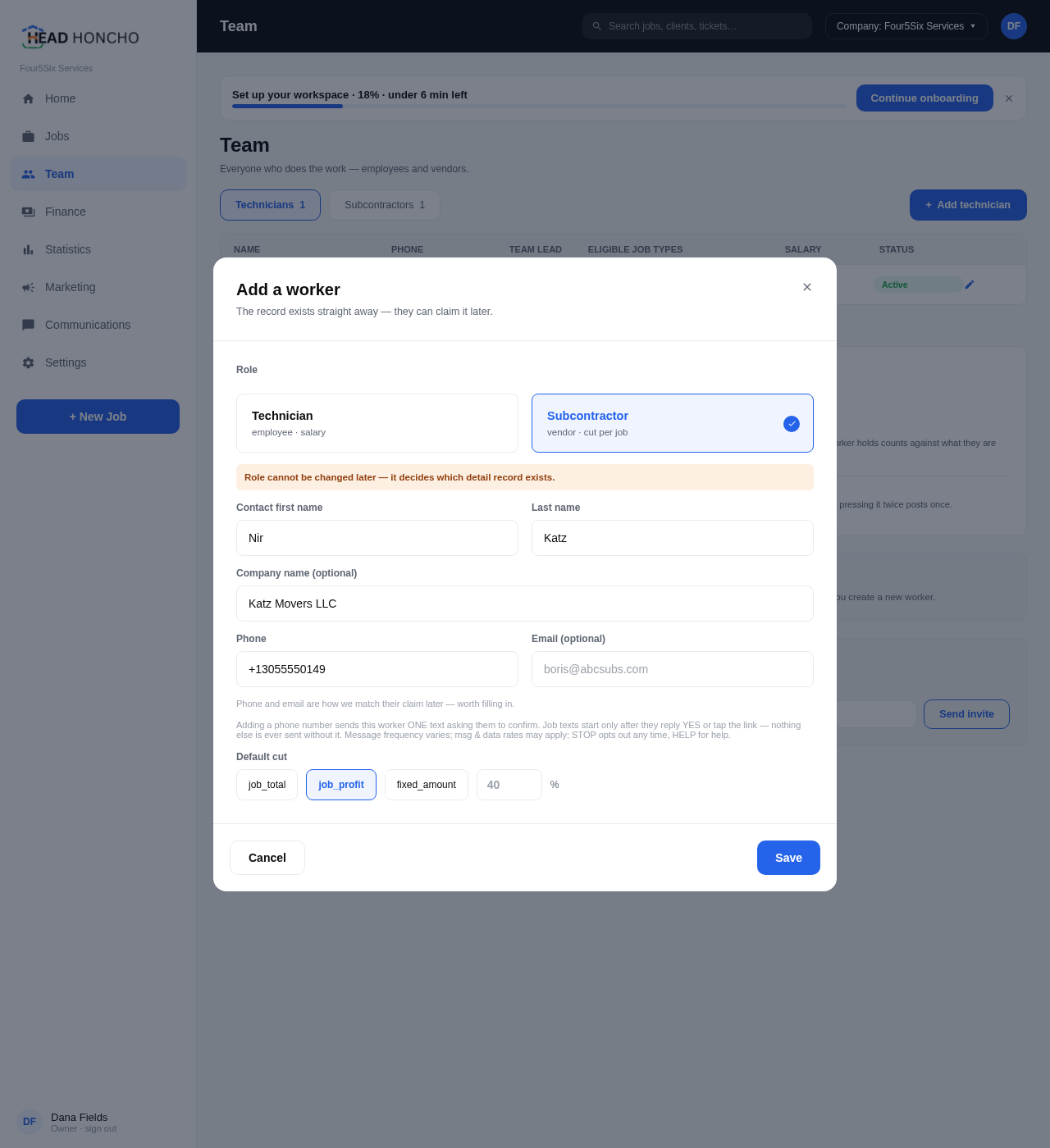
A field worker agrees with the business they work for — as part of their contractor or working agreement — to receive job-assignment texts, and gives the business their mobile number. An authorized manager enters it in the HeadHoncho Team panel. The exact collection form, with the disclosure directly beneath the phone field:
STEP 2 — ONE VERIFICATION TEXT, AND ONLY ONE
The platform sends a single confirmation request (this is the exact message shape):
STEP 3 — THE WORKER THEMSELVES CONFIRMS (OR DOESN'T)
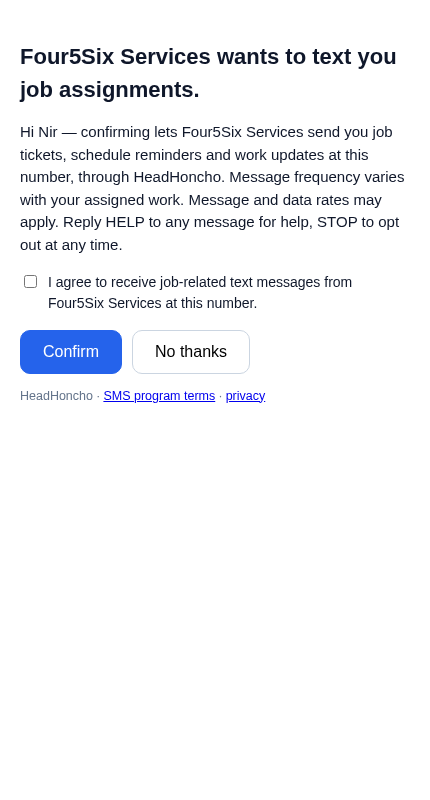
Replying YES confirms; the carrier's own message record is the consent artifact. Tapping the link opens this page — the confirmation is an active choice with an unchecked-by-default box, and declining is one tap:
If the worker never replies and never taps, nothing further is ever sent. STOP at any point — before or after confirming — opts the number out permanently. Numbers are never purchased, rented, or harvested; only workers on a business's own roster can be invited.