How to Build a Dashboard You Will Actually Check
Result: a board of three or four answers you will actually check. Time: about five minutes.
What You Need First
You need some jobs in your workspace and, for the ad questions, a connected ad account. A question whose source is not connected is still on the list, with a note on what it waits for. Pick it anyway if you plan to connect the source. Start with fewer questions than you think. A board of twenty tiles is a board nobody reads.
Build a Marketing Dashboard in Five Steps
- Open Statistics, then the Insights tab.
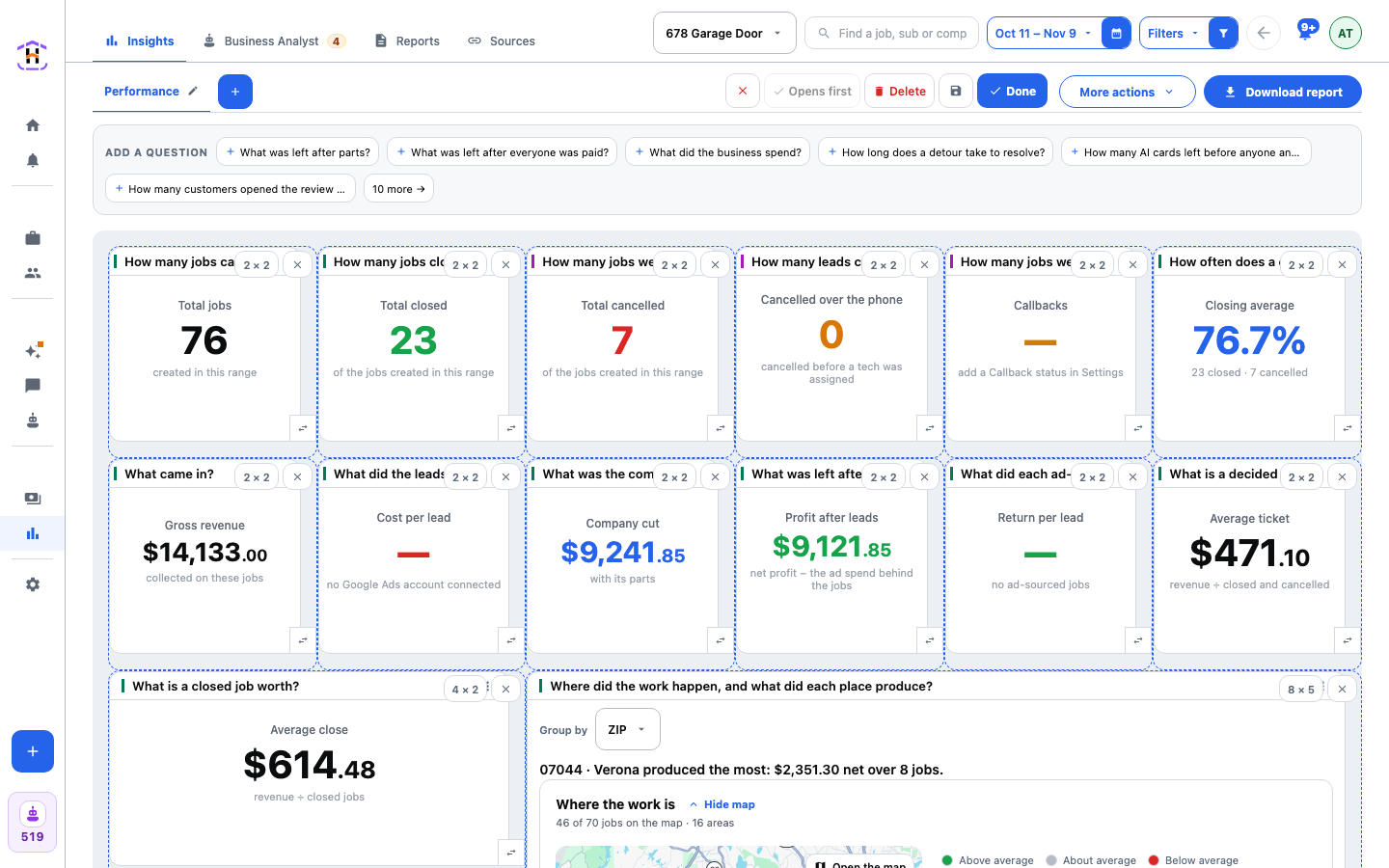
- Press More actions, then Arrange this dashboard.
- Look at the Add a question strip above the board. Press a question you act on to add it. Press more at the end of the strip to open the whole list, grouped by topic. Press one again to take it off. Press Done adding questions when finished.
- Drag each tile where you want it. A ghost shows where it will land. Use the size control on a tile to make it bigger or smaller.
- Press Done to save the whole board. Press the red cross, Discard these changes, instead to put it back as it was.
Which Questions Deserve a Tile
Ask of each question: if this number changed, would I do something? A question you only look at to feel good does not deserve a permanent spot. Pick the three or four that tie to decisions you make every week, such as where to spend, which jobs made money, or which place is booking. Leave the rest to the full page that opens when you press a tile.
Give Each Tile the Room It Needs
A tile draws the richest form that fits. A small tile shows the figure. A wider one shows bars, then the sentence that answers. Make the one number you care about most small and big on the top row. Make the ranked lists wide, so they show their top five and an Other row.
Keep More Than One Board
While you arrange, the top row has Opens first (the board you see first, or Make default on another board), Keep as template and Delete. One board per company, or one for the week and one for the month, works well.
How You Know It Worked
- The tab at the top shows the board's name.
- Leave the page and come back. The board is as you left it.
- Press a tile. The question opens as its own page.
If It Fails
| What You See | What To Do |
|---|---|
| No Arrange this dashboard under More actions | You may only have view access. Ask the owner. |
| A tile that is empty with a reason at the foot | That is an honest answer. Read the reason: no spend in the period, or a source not connected. |
| A drag went wrong | Press Discard these changes. Nothing was saved. |
| You closed the default board | The next oldest board becomes the default. |
Every control is explained on Dashboards And Widgets.