How to Find Your Best ZIP Codes
The result: a short list of the ZIP codes, cities or area codes that made you the most per job, and the ones that cost you time. Time: five minutes.
What You Need First
- A month or more of jobs with addresses. The more jobs, the more places clear the bar of 5 decided jobs.
- If you want the call area view, jobs with a customer phone number as well. A job with no phone becomes a row of its own.
Best ZIP Codes for Service Business Owners: The Steps
- Open Statistics. You land on Insights.
- Set the dates. Use at least a few months if you can. A place needs 5 decided jobs before it gets a verdict.
- Find the tile Where did the work happen, and what did each place produce? Scroll down Insights until you see Group by.
- Set Group by to ZIP. Your choice is remembered.
- Read the map. Each marker prints what a job there is worth after the sub is paid, then a dot and how many jobs stand behind it. Green is above the workspace average. Red is below. Grey is about average, and white is Too few to say.
- Scroll to the table under the map, Every area, against the workspace. Press the Net / job column name to sort. The top rows are your best places. Press it again to reverse the sort for your worst.
- Press a row to open the jobs behind it. Look at the real jobs before you trust the number.
- Change Group by to City, State or Call area and look again.
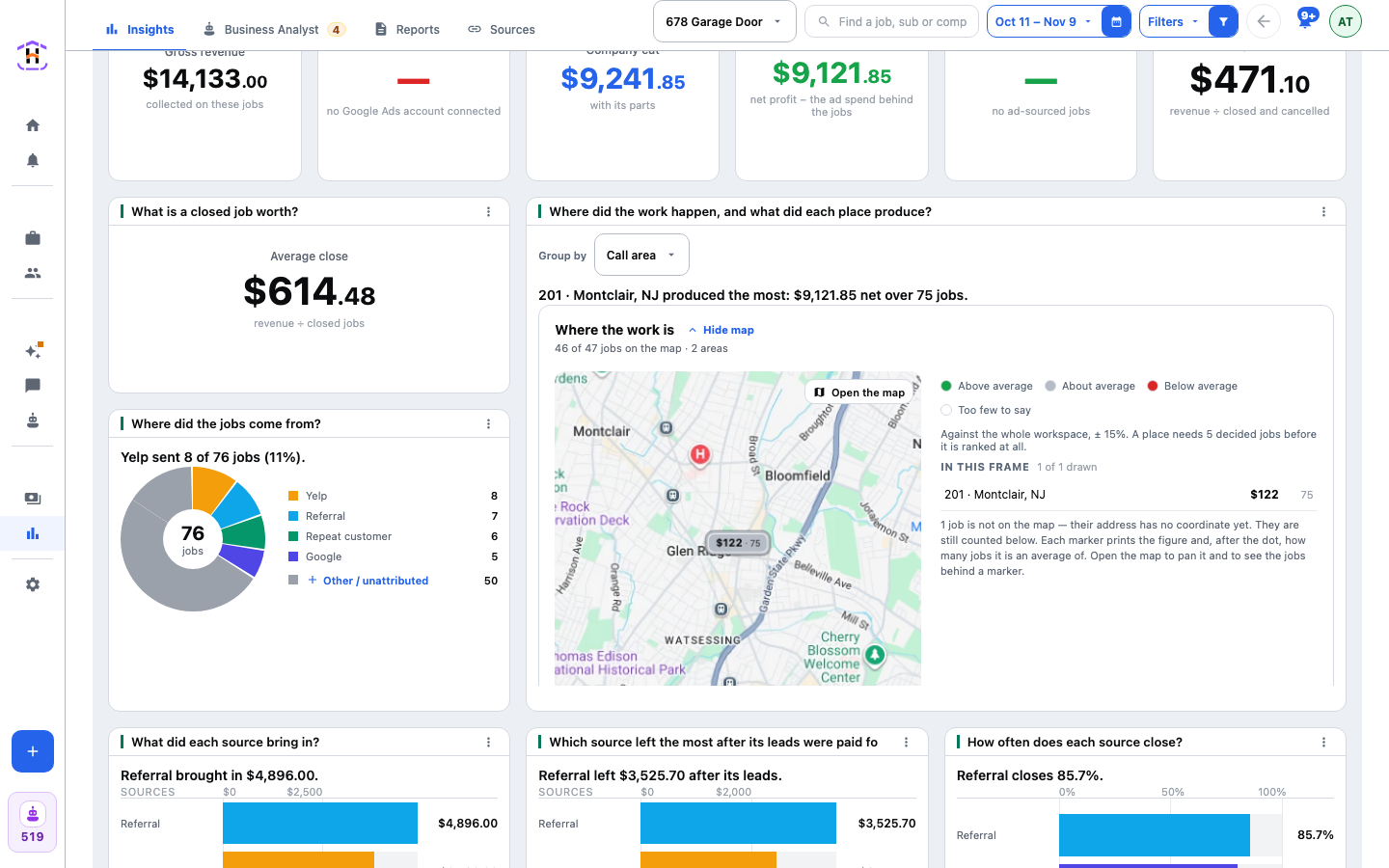
Example, with made-up numbers. Group by ZIP shows 62701 with 14 jobs at $410 Net / job, and 62704 with 9 jobs at $150 Net / job. Both are above 5 decided jobs, so both get a verdict. Scroll the table across to the Closing column. If 62704 also closes less often, it costs you more drive time for less money.
How You Know It Worked
You can name your three best and three worst places and say how many decided jobs stand behind each. If a place says Too few to say, it has fewer than 5 decided jobs. Leave it out of your list.
If It Fails
- "No jobs in this range yet." Widen the dates.
- You want one dot per job, or a marker that prints Closing rate. Open Sources and press Map. View and Show are there.
- A row called No address or No phone. Those jobs have no address or no phone. They are kept as their own row, never dropped.
- The map will not load. The table under it still works. A line says how many jobs could not be drawn.
Next
What you do with the list is your call. The numbers say where money was made, not what to change. The controls are described in Places on the Map. For the cost side, see Cost Per Booked Job, Explained.