Being told once, by the route you chose
Business notification settings live in two places on purpose: the bell says what happened, and each device answers for itself whether it wants to be woken.
Two different things get called a notification, and keeping them apart is what makes either of them worth reading. An alarm is the present tense — something is waiting on a decision. A notification is the past tense — something happened and you have not looked at it yet.
Alarms and notifications
Business notification settings usually fail by putting everything in one list with one number on it. Here the two are never merged and never summed.
| An alarm | A notification | |
|---|---|---|
| Says | 22 conversions are waiting on a decision | Dana Moss booked #1042 |
| Lives | In front of you, on the board it belongs to | Behind the bell, and on your phone |
| Answered by | Doing the thing — or one of the three answers below | Reading it |
The badge on a panel counts decisions waiting inside it; the bell counts things that happened. Adding those two numbers together would produce a count that means nothing, and the first thing anybody does with a number that means nothing is stop reading it.
The rule underneath: nothing that waits on a decision may live only behind the bell. That is what stops the bell becoming the place alarms go to be ignored.
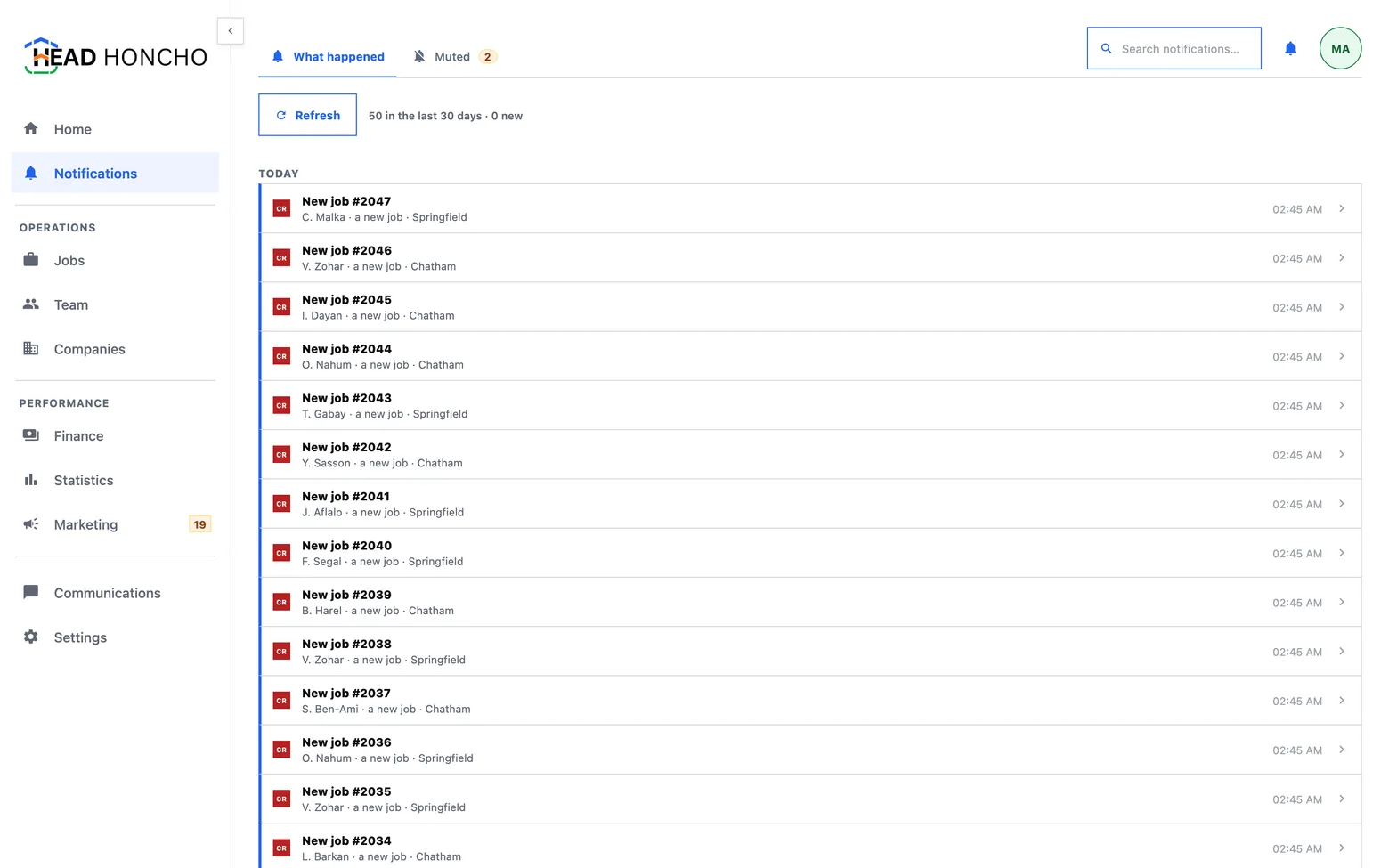
The bell, and what pressing it does
The bell sits in the panel row, at the right, beside your avatar — where it cannot move when you fold something. Pressing it opens a small menu of the newest few items, each row a door to the thing it is about, with All notifications at the foot.
The peek deliberately never marks anything read. It shows only the newest few, and marking a truncated glance as read would silently swallow rows nobody saw. The count survives a peek and clears on the page, which is where reading actually happens. That page carries the whole recent history, a search, the list of anything you have silenced, and the control that marks the feed read.
Notifications also have their own row in the sidebar, and that row carries no badge — for the same reason as above: one surface, one meaning of a number.
What gets told
There is one catalogue of what is worth telling a person, and both rails — your phone and the bell — read from it. Adding an event to it lights up both in one edit, which is what stops the phone and the app wording the same thing differently.
Most of what happens in the product is deliberately not in it: bookkeeping nobody needs to be told about. And you are never told what you just did — a row whose actor is you is left out, on the bell and on the device that performed it.
The three answers to an alarm
An alarm can be answered without being obeyed, and the three answers are genuinely different:
- Dismiss — quiet until the fact changes. Keyed to the message, so a number moving from 22 to 40 brings it back.
- Remind me later — quiet until the clock, or until the fact changes.
- Never remind me — quiet for good. Keyed to the alarm rather than to the message, which is exactly what makes it different from dismissing.
Never, and the way back from it
Three things keep never from being a trapdoor:
- It asks first, and the safe button is the deferral. Remind me later instead takes the primary slot, because most people reaching for never mean not this week.
- The confirmation names the way back before you press it — the muted list on the notifications page.
- The mute is named when it is stored, by its subject rather than by yesterday's number: conversions waiting on a decision, not 22 conversions are waiting. A list of silenced alarms describing last week's counts is a list nobody can act on.
And silencing an alarm silences the interruption only. The badge keeps counting, the queue still has rows in it, and the board still says so. Muting changes what the product says, never what is true.
Your phone answers for itself
What a phone is told about, and when, is that phone's own answer — your other devices keep theirs. The settings live under Settings → Notifications on the device you are holding, and the phone app is covered on the phone app.
One honest limit worth knowing: a job going quiet does not page you. Time passing is not an event, so a job crossing the wait on its rung appears on the Needs-you board the moment somebody looks, and does not arrive as a push notification. What does reach you is what somebody or something actually did — a message arriving, a job created, an assignment confirmed.