The eleven boards, and what each one changes
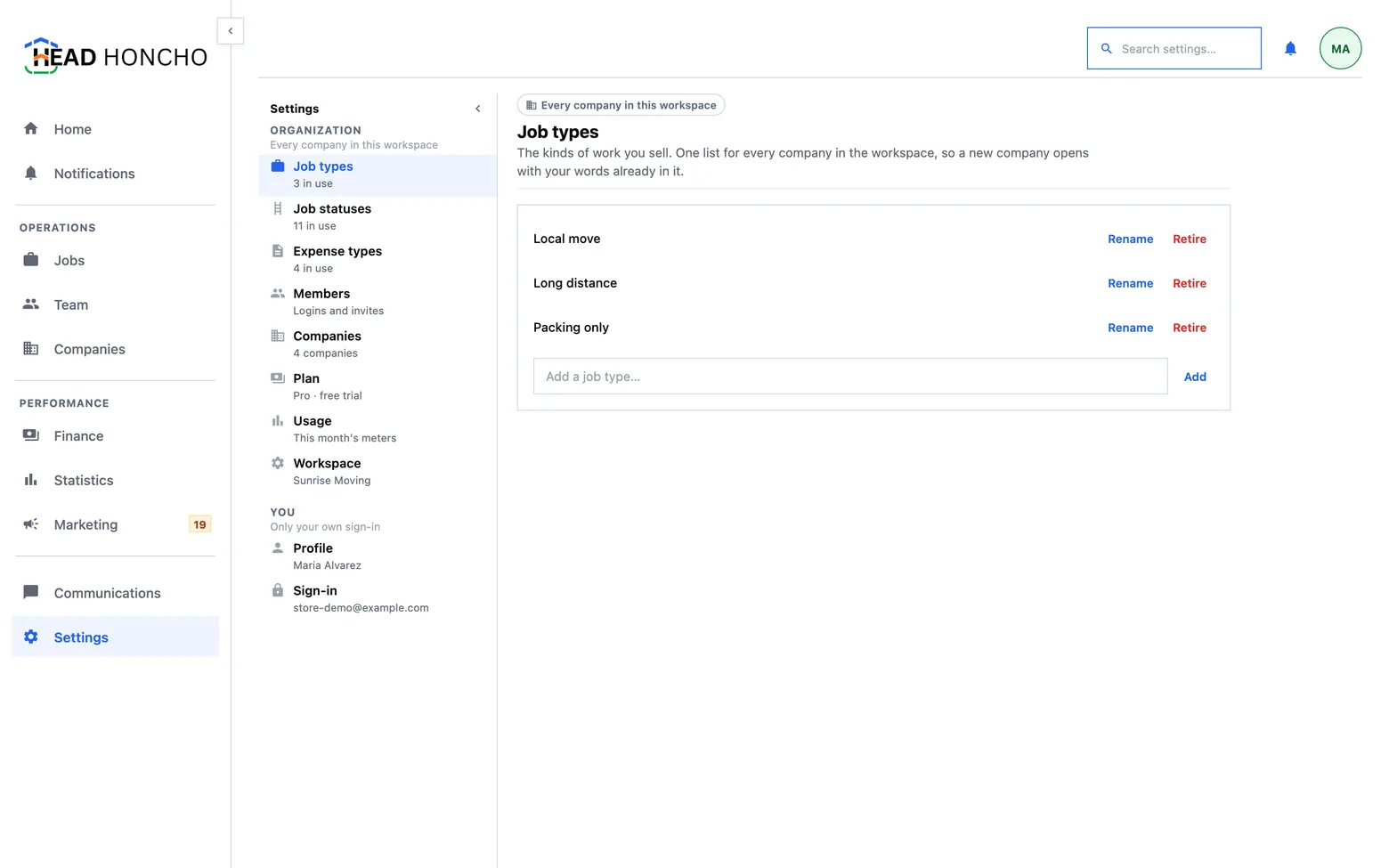
HeadHoncho settings is eleven small boards rather than one long form, and this page is the lookup: the symptom on the left, the board that fixes it on the right.
Settings is eleven small boards rather than one long form, and each one says at the top what it changes. Three of them are about you, three are about the workspace, and five are the vocabulary the rest of the product counts in.
I want to change …
HeadHoncho settings are easier to find from the symptom than from the name, so this is the lookup rather than a tour.
| What you want | The board |
|---|---|
| A stage on the Jobs board is called the wrong thing | Job statuses |
| The kinds of work in the job form are somebody else's trades | Job types |
| An expense has nowhere sensible to be filed | Expense types |
| Somebody new needs to sign in — or somebody has left | Members |
| A second business needs to exist under this login | Companies |
| Dates and daily figures are landing on the wrong day | The company's own page — its timezone |
| What am I paying, and what have I used? | Plan and Usage |
| My name is wrong on things I sent | Profile |
| Change my password, or sign out everywhere | Sign-in |
| This phone buzzes too much | Notifications |
| Take everything out, or close the workspace | Workspace |
The vocabulary boards
Three lists decide the words the rest of the product counts in, and all three are one list for the whole workspace — so a new company opens with your words already in it rather than with a blank slate.
- Job types — the kinds of work you sell. Every job is one of them, so at least one has to exist.
- Job statuses — the rungs a job climbs. Rename freely: a name is a label, never what a row counts as. Retiring is a soft archive, because a status that has been used is part of the history of every job that wore it. The full model is on job statuses and the ladder.
- Expense types — what money leaves for. The list the job page and Finance both pick from.
People and companies
- Members are the people who can sign in. The crews who do the jobs live on Team — one person is often both, and the roster says so. Inviting and removing is the owner's to do.
- Companies lists the brands you run. Each keeps its own clock, connections and jobs; everything on the Settings index is shared between them. A company's own page is where its hours, service area and timezone live, and at the foot of that page is Export jobs as CSV — the whole book for that company, which is a different promise from the filtered view an export on the Jobs table would have given. See managing multiple companies.
Plan, usage and the workspace
- Plan — one subscription for the organization. Every company you run shares it.
- Usage — what this month has used against what the plan includes. Going over never blocks the work. Both boards are covered on plans and usage.
- Workspace — where this organization ends: closing it, reopening it, erasing it. Nothing else lives on that board, and it stays shut behind a deliberate press, because the controls on it are the ones nobody should meet by scrolling.
The three that are only yours
Nothing on these three reaches anybody else in the workspace.
- Profile — your name, as it appears beside anything you send, assign or close.
- Sign-in — how you get in, and how you stop.
- Notifications — what this device is told about, and when. Your other devices keep their own answer, which is the point: a laptop and a phone are in different rooms. Notifications explains the bell, and the third answer that means never.
A screen has one subject. A single settings page with eleven sections makes every visit a scroll past ten things you did not come for, and it makes an accidental change to one of them invisible. Each board here prints its own subject and its own state, and anything destructive sits behind its own door with its consequences written out first.