Refer a Friend, Earn Credits
How Refer a Friend Works
Every workspace has its own referral code and link. When a friend signs up with your link and connects their Google account on Statistics, you earn 250 credits. You can earn it for up to 3 friends, which is 750 credits. The words on the card say it plainly: Refer a friend and earn 250 credits.
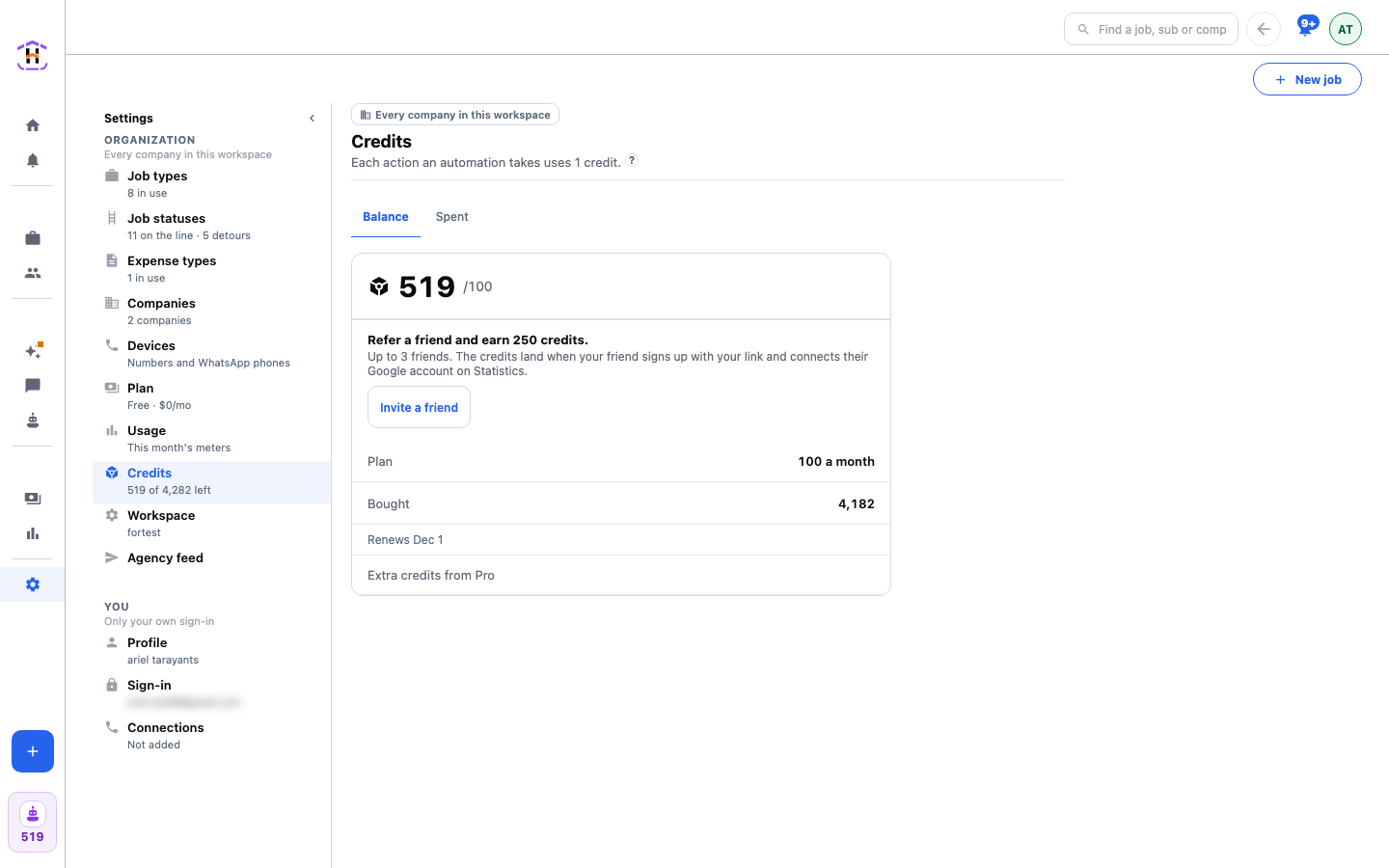
Where to Find It
- Settings, Credits, on the Balance tab, inside the balance card above the Plan line.
- A card on Home, shown while you still have invites left.
Sending the Invite
Press Invite a friend. On a phone, the share sheet opens with a ready message and your link, and you pick WhatsApp, text or email. If the device cannot share, the message is copied and says Copied. Paste it to a friend. If nothing opens, the card shows your code, and your friend can type it at sign-up.
Reading the Progress
Under the terms the card counts how many friends have paid you and how many are waiting, for example 1 friend waiting on Google. A friend is waiting until they connect their Google account. When all three have paid, the card says 750 credits earned from 3 friends. Thank you.
Why Your Friend Connects Google
The point of HeadHoncho is to show what your ad spend actually produced. That starts when Google Ads is connected, so that is when a friend is a real new user and not just a new sign-up. Nothing else is asked of them for you to be paid. They can do the rest of the setup in their own time.
The Rules
- The credits land when the friend has signed up with your link and connected Google on Statistics. Signing up alone does not pay.
- A fourth friend can still join. The reward stops after three.
- Signing yourself up again does not count.
- A referral code never blocks a sign-up.
Credits arrive in your balance like any other. See Credits And The Bill.